Asana Team Tracking: Collaboration, Workload, and Reports
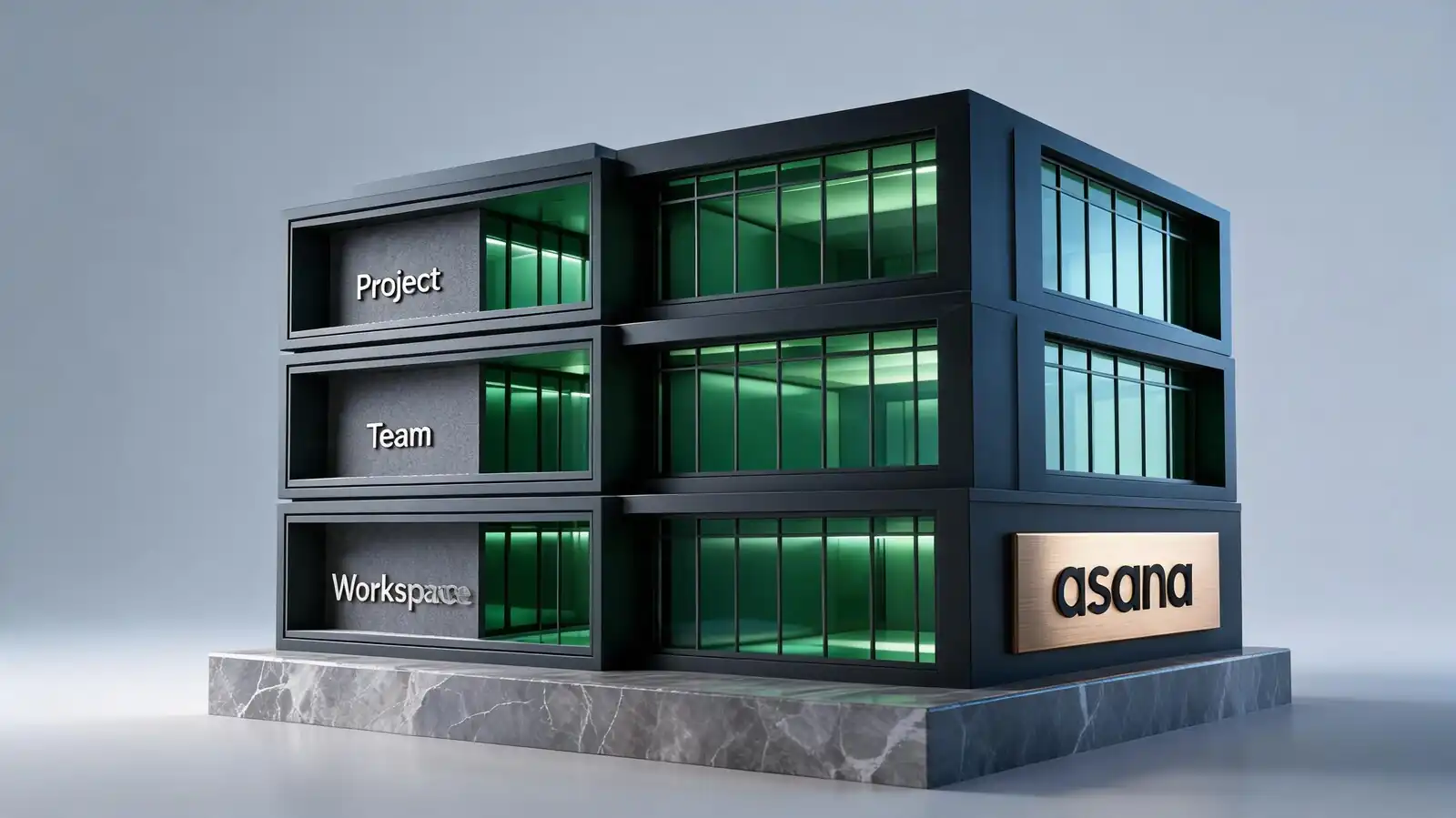
How Teams Organize Work in Asana
Workspaces are the top level; teams are departments or working groups inside a workspace; projects are the work. Membership and permissions are managed at the team level, not the project level by default.
The hierarchy works because it matches how mid-size organisations actually divide labour. A 60-person company typically has 4–8 teams, 30–80 active projects, and a handful of cross-team portfolios.
- Workspace / Organization — top container; one per company (sometimes one per division for large orgs)
- Teams — departments or functions; each carries member list and project visibility defaults
- Projects — units of work; can be private to a team, public within the org, or shared
- Shared views — team-level project list, team dashboard, team calendar — visible to all team members
- Ownership rules — every project needs a named owner; ownerless projects rot fastest
The mistake new admins make: creating one giant team for everyone. The result is a noisy notification stream and permissions that are too loose for sensitive work.
Workspace → Teams → Projects. Every project needs an owner. Don't collapse everyone into one team.
Collaboration and Communication Features
Collaboration happens inside tasks: comments, @-mentions, file attachments, status updates, approvals. Integrations push notifications to Slack or Teams when chat-first culture demands it.
The pattern that scales: discussion stays inside the task; chat tools carry pings and FYIs. When discussion moves to chat, context fragments and decisions get lost.
- Comments and mentions — threaded discussion per task; @-mention pulls a person into the thread
- Files — Drive, Box, Dropbox, OneDrive integration; attachments inherit source permissions
- Status updates — weekly narrative on each project, pushed to followers automatically
- Async work — designed for it: time-zone-distributed teams use task threads instead of meetings
- Chat integrations — Slack/Teams notifications for project updates; create tasks from chat messages
If the team primarily lives in chat and barely opens Asana, the tool selection is wrong. ClickUp or monday.com don\'t fix that; better meeting and decision-recording habits do.
Discussion in tasks, pings in chat. Decisions go in the task — chat tools fragment context.
Workload and Accountability Tracking
The Workload view on Advanced shows team capacity by person. Combined with custom fields for effort, it surfaces overloaded teammates before deadlines slip. Privacy and permissions decide who sees what.
Accountability in Asana is owner-based: one assignee per task, collaborators on the side, status visible on the project dashboard. Combined with Workload, team leads see who is over-committed and where work is stuck.
- Assignments by teammate — Workload view shows every assigned task across projects in the team
- Blocked work — dependency badge plus the "blocked" custom field convention surfaces stuck tasks
- Overdue tracking — sort My Tasks or the team list by due date to surface what slipped
- Privacy boundary — private tasks are invisible to managers; team workload only aggregates shared work
- Permission roles — comment-only, edit, project admin; default to least-privilege
Don\'t use Workload as a performance metric. Use it as a capacity signal — the question is "who needs help?" not "who is fastest?"
Workload (Advanced+) shows capacity by person. Use it to spot overload, not to rank team members.
Dashboards for Team Leads
A team dashboard combines project-level signals (status, milestones, overdue work) with people-level signals (workload, blockers). Five to seven cards is the sweet spot; more becomes noise.
The dashboards that survive after six months are the simple ones. Most team leads converge on five cards plus a status narrative.
- Project status grid — colour-coded On track / At risk / Off track per project
- Overdue tasks by owner — bar chart; spot the bottlenecks personally
- Workload trend — bar chart with capacity overlay (Advanced)
- Blocked tasks — list card; where unblocking effort needs to go this week
- Milestone health — upcoming milestones, hit rate over last quarter
- Weekly team review — pair dashboards with a 30-minute review meeting; data + conversation beats data alone
If the team meeting opens with "let me share the dashboard", it works. If it opens with "let me explain the dashboard", the dashboard is too complex.
Five cards, weekly review. Test the dashboard by whether you have to explain it.
When Teams Outgrow Asana
Asana scales reasonably to a few hundred users. Beyond that, the limits are usually governance, reporting depth, and integration with enterprise systems. Engineering teams typically outgrow it earlier than operations teams.
Three common outgrowth patterns appear. None is unique to Asana — every project tool has similar ceilings — but the right replacement depends on the failure mode.
- Complex reporting: push data to a BI tool (Tableau, Looker, Power BI) via API; don\'t try to force Asana dashboards to do more
- Engineering depth: Linear or Jira for sprint, story-point, and Git-native workflows
- Enterprise governance: Smartsheet, Workfront, or Planview for stage gates, EVM, and PPM
- Asana Enterprise upgrade: SAML, SCIM, audit log API, data export — sometimes enough to delay a full migration
- Migration cost: factor in muscle memory loss, integration rebuilding, and template recreation
"Asana isn\'t working" usually means one specific thing is broken. Diagnose it before assuming a tool swap is the fix.
Engineering depth → Jira/Linear. Enterprise governance → Smartsheet/Planview. BI → push data out via API.
Frequently asked questions
Can multiple teams share a project in Asana?
Yes. A project can be made public to the organisation or shared explicitly with members of other teams. Tasks inside the project can also be multi-homed into projects owned by other teams, which is how cross-functional work avoids duplication.
How do team permissions work?
Each team has members with shared visibility into team projects by default. Within a project, three roles exist: comment-only, edit, and project admin. Workspace admins can see all non-private work. Default to least-privilege and document the permission scheme during onboarding.
Does Asana work for remote teams?
Yes — it's designed for async work. Status updates, threaded comments on tasks, and notification routing to Slack or Teams support time-zone-distributed teams. The harder problem is usually team meeting cadence and decision-making habits, not the tool itself.
Can team leads see private tasks?
No. Private tasks are visible only to the assignee and explicit collaborators. Workspace admins can see all non-private work, but private tasks remain hidden. This boundary is important to document during onboarding to avoid trust friction.
What is the difference between a team and a project in Asana?
A team is a group of people (typically a department); a project is a body of work owned by a team. One team usually owns many projects. A project can also be shared across teams when cross-functional work spans more than one group.